Irving Avina
CREATIVE DEVELOPER
irving@madmonkeys.io













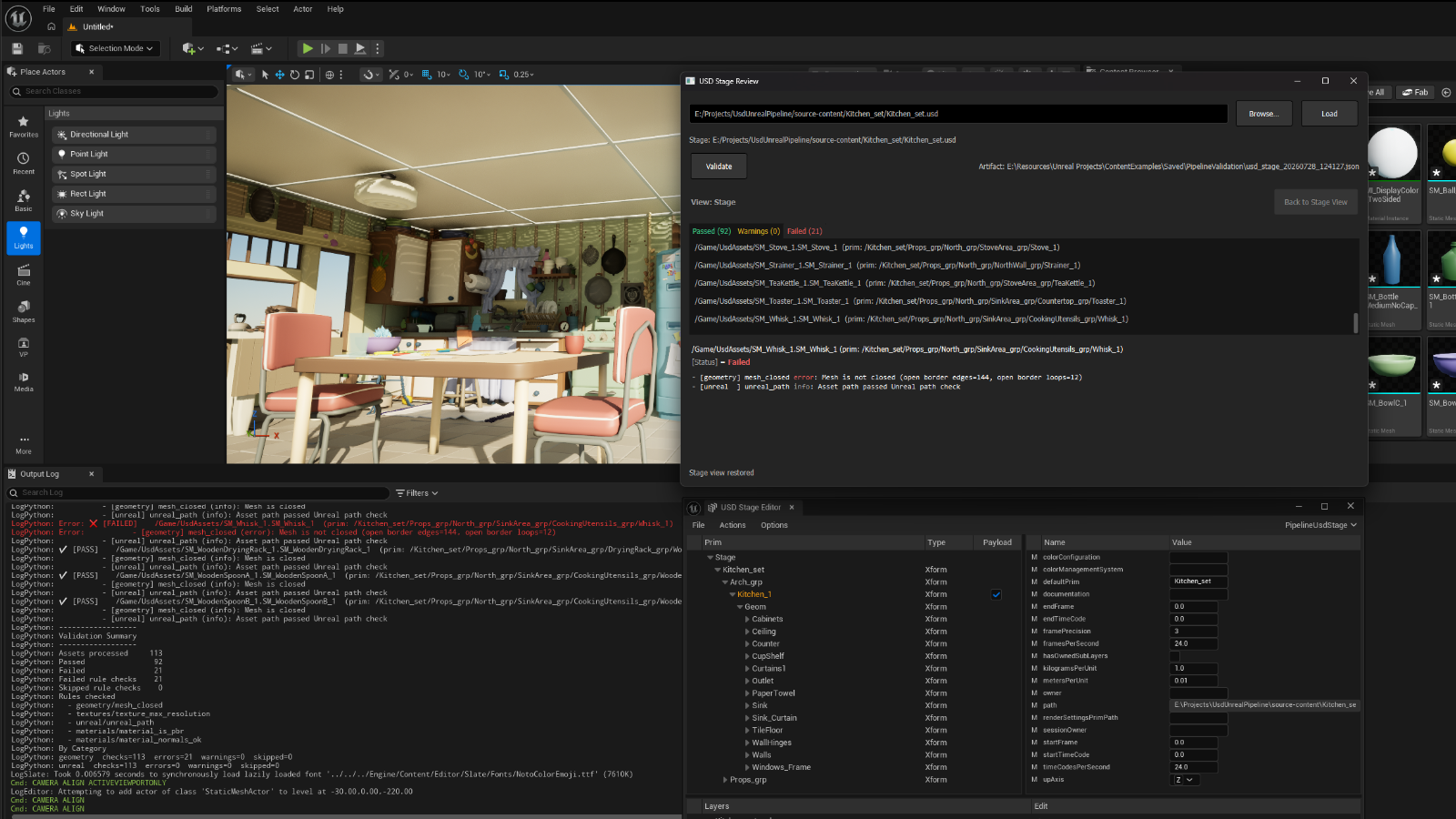
USD Stage Review next to the Stage Editor.
What it is
A Python validation toolkit for OpenUSD and Unreal Engine content. You write rules once, then run them from whichever entry point fits the job — CLI, Content Browser, or a live USD stage — including a Stage Review UI in the editor:
- CLI — validate a directory of files on disk
- Content Browser — validate selected assets or a folder inside Unreal
- USD stage — validate what's currently loaded on a UsdStageActor
Config turns categories and individual rules on or off, and can ignore paths that aren't in scope.
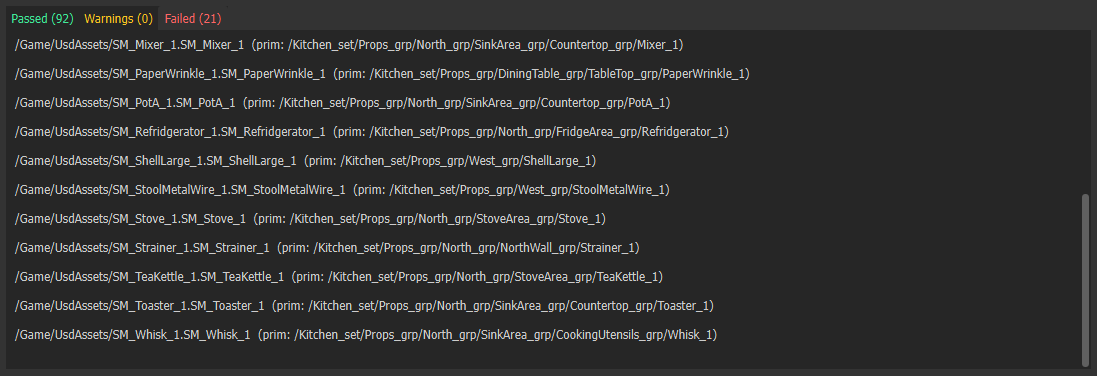
Stage Review
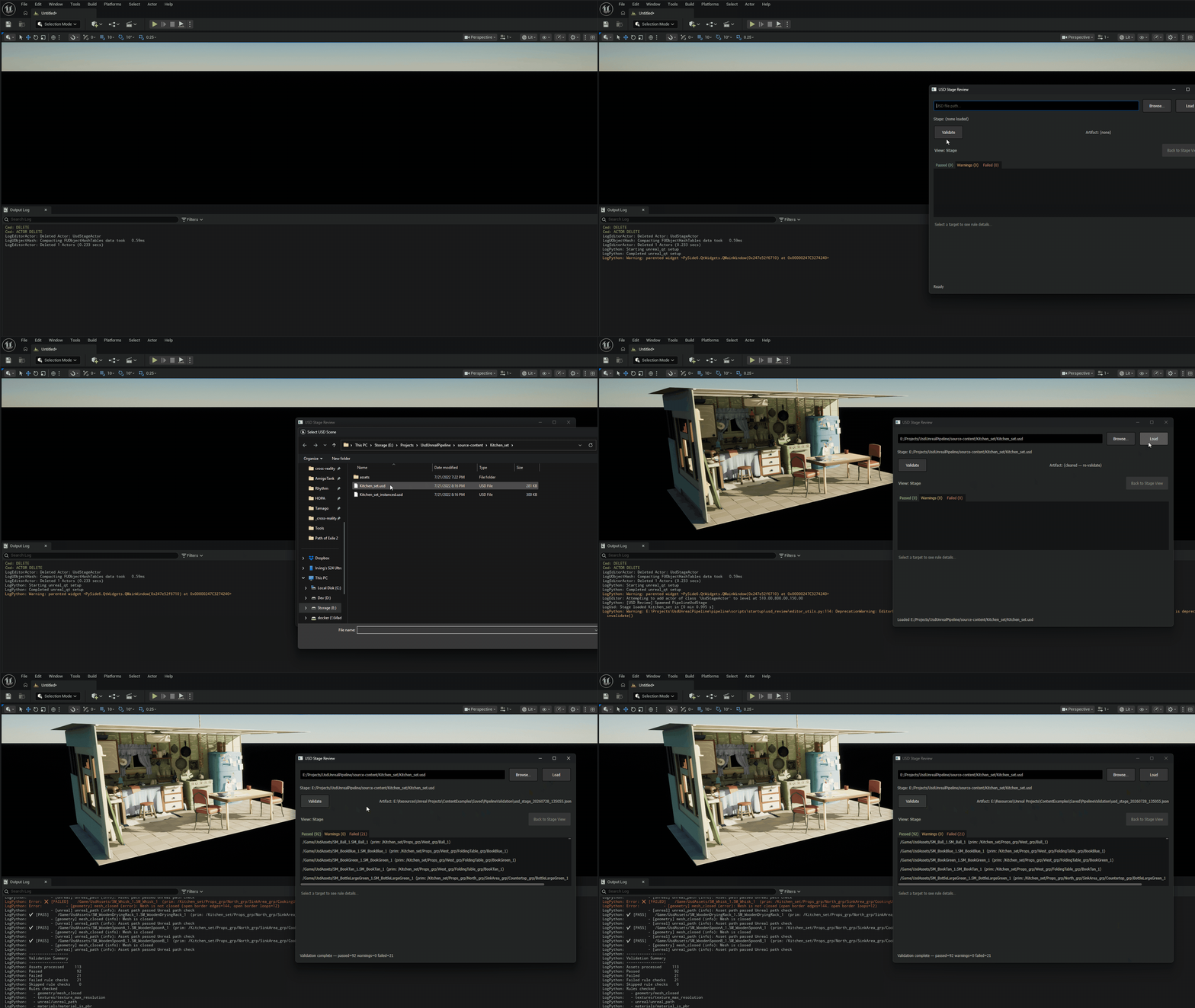
USD Stage Review (Tools → USD Stage Review) is an editor UI for validating a live USD stage and working through the results visually.
What it's for: when you're reviewing an open stage, a terminal dump isn't enough. You need to see which generated assets passed or failed, open the detail for a failure, and look at the mesh in the viewport without digging through the whole stage hierarchy.
Typical flow:
- Load a USD file onto the stage (or use what's already open).
- Run Validate — the pipeline runs the enabled rules against Unreal-generated assets from that stage.
- Browse Passed, Warnings, and Failed tabs. Select a row to read the rule messages.
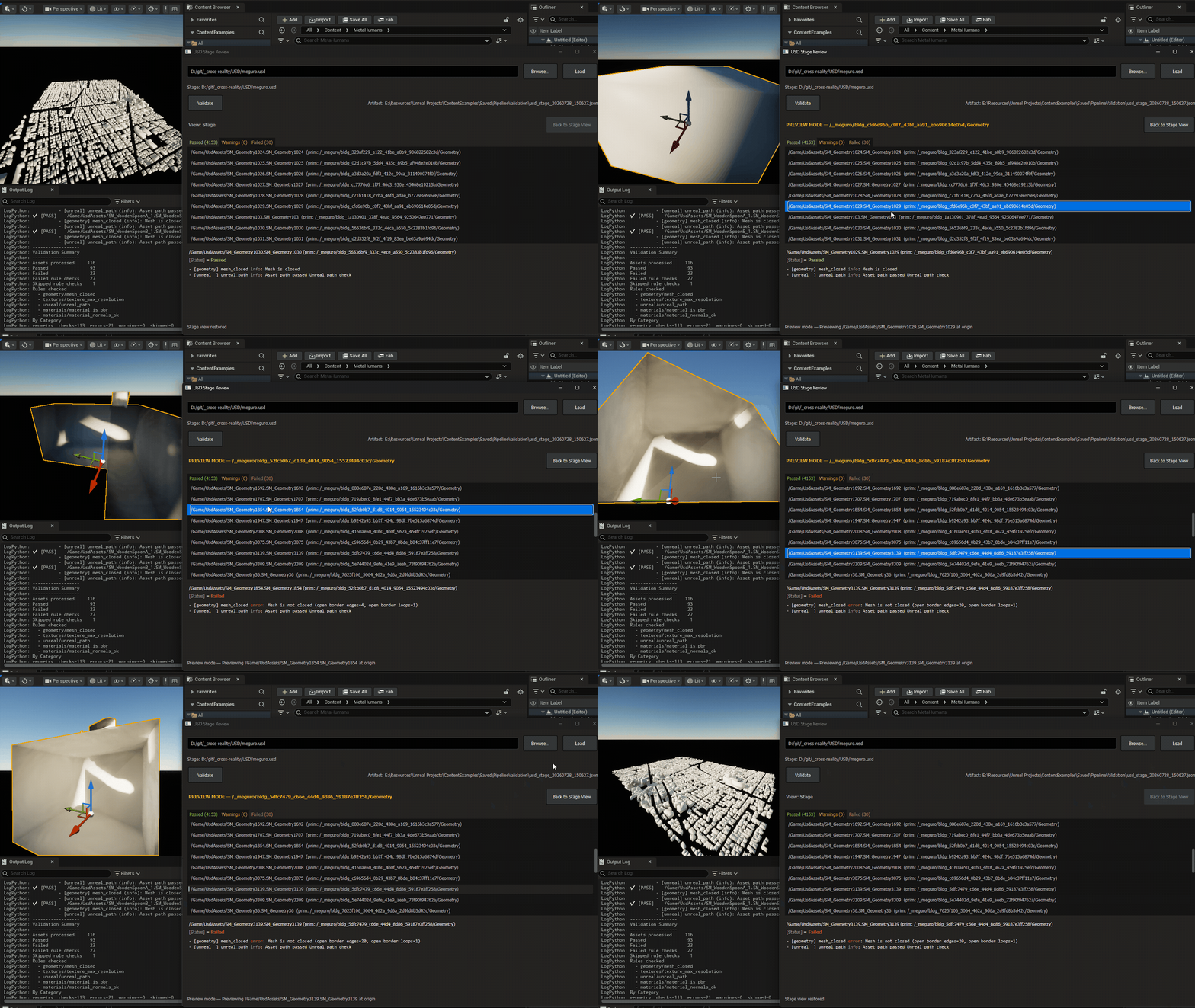
Preview mode isolates a selected asset: the stage is hidden, the generated mesh is placed at the origin, and the viewport frames it so you can inspect the failure directly. Back to Stage View restores the full scene.
Entry points
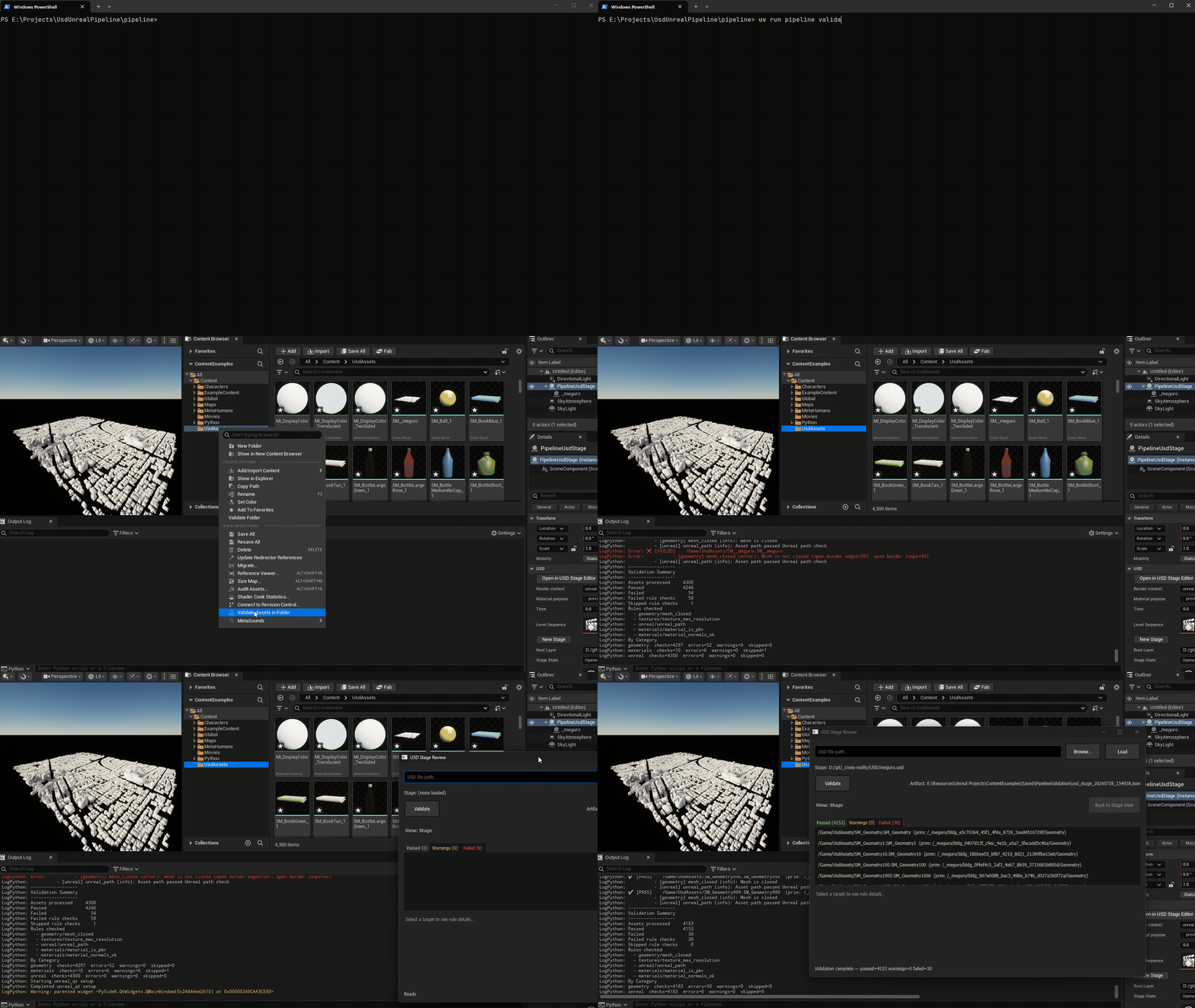
Same pipeline, three ways in. Pick the host that matches where the assets already are — disk folder, editor selection, or an open stage. You don't maintain a separate validator per context.
Rules
Rules are host-agnostic: the same rule class runs no matter which entry point started the session, as long as the rule's dependencies are available. A filesystem name check works from the CLI or Unreal. An Unreal-only rule — for example mesh closedness via DynamicMesh — only runs when Unreal is present; elsewhere it's skipped, not silently reinvented.
To add a check: subclass ValidationRule, put the module under pipeline/rules/<category>/ (e.g. geometry/, materials/). The category comes from that folder. Enable the rule in config; the registry discovers it automatically.
Config
{
  "categories": {
    "filesystem": false,
    "geometry": true,
    "textures": true,
    "unreal": true,
    "materials": true
  },
  "host": {
    "content_root": "/Game/ExampleContent"
  },
  "rules": {
    "material_is_pbr": {
      "rule_ignore": [
        "/Game/ExampleContent/UMG/**",
        "/Game/ExampleContent/Substrate/**"
      ]
    },
    "material_normals_ok": {
      "rule_ignore": [
        "/Game/ExampleContent/UMG/**",
        "/Game/ExampleContent/Substrate/**"
      ]
    }
  }
}
Categories are on/off switches. Per-rule settings cover things like rule_ignore globs. The same file works for CLI and editor runs.
Reports
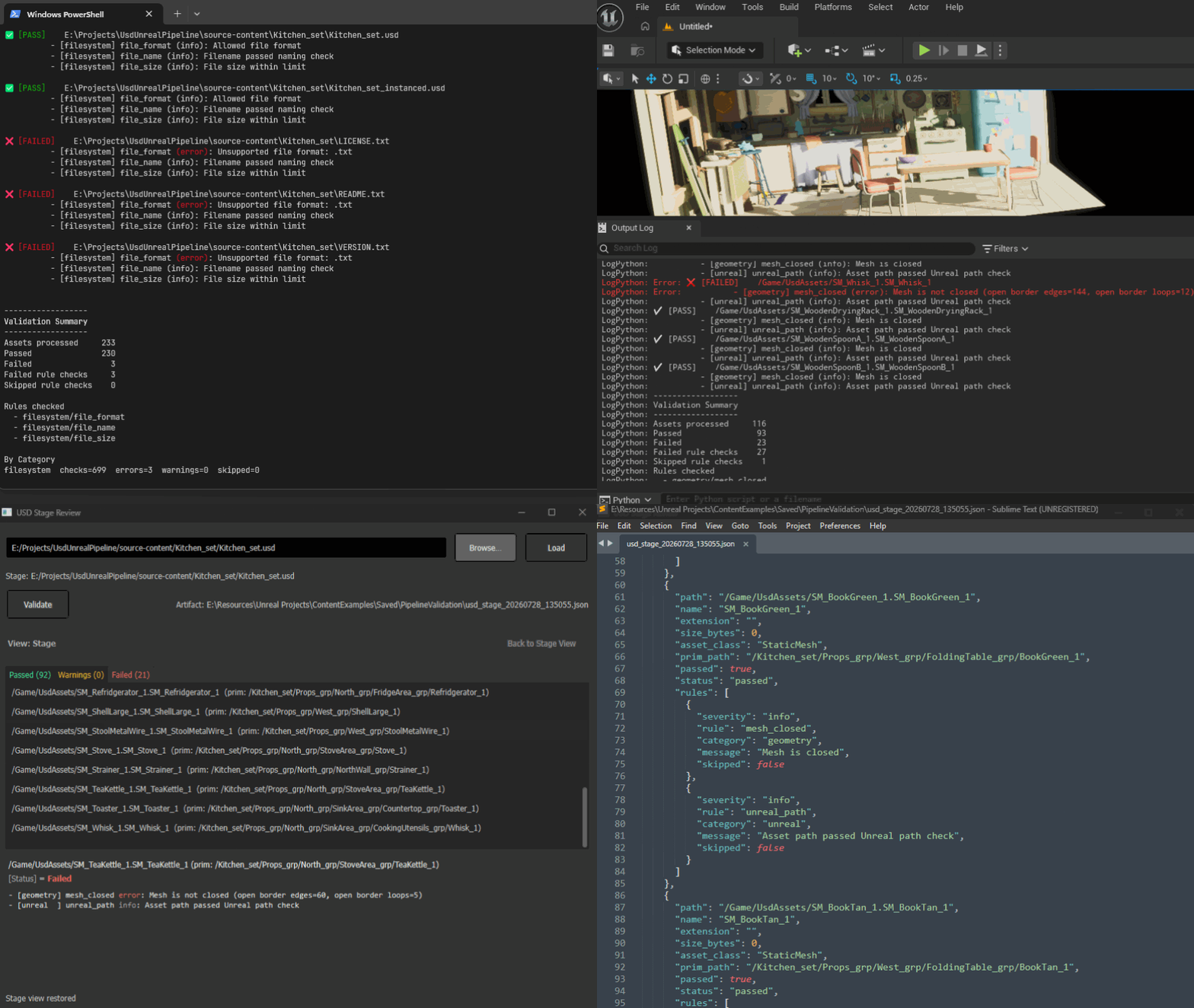
Every run produces the same result model: per-asset outcomes with severity (pass / warning / fail), plus a human-readable summary in the terminal or Output Log. When a tool needs machine-readable output — Stage Review does — the session is also written as JSON.